
Free
No subscriptionEverything for your month, with a few limits.
- Accounts3
- Budgets per month3
- Savings goals1
Everything else, including transactions, month overview, fixed costs, net worth and Finni, is included without a subscription.
Every feature explained in a few sentences, sorted by area. Features marked Plus are part of the optional subscription.
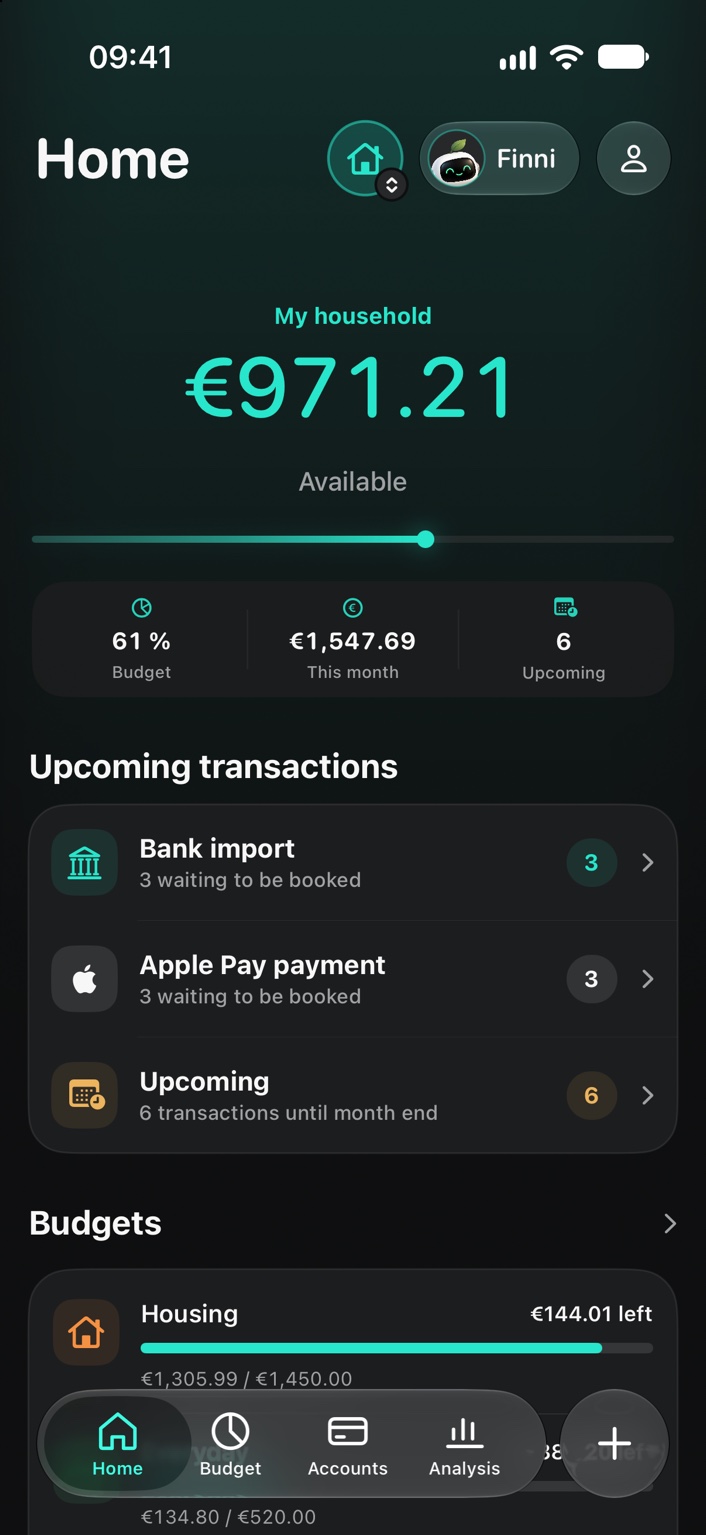
Home shows you every day what is still possible this month and what is coming up next.
The big number on Home takes all budgets of the month and the expenses already booked into account. Below it you see what share of your budget is used, what you have spent this month and how many transactions are still coming up.
Bank import, Apple Pay payments and planned transactions until the end of the month are collected at the top of Home. One tap takes you straight to the list.
The three buttons at the bottom of Home start an entry without switching to another area first.
You choose in Settings which tiles Home shows and in which order.
Three widgets in several sizes: the overview with “Still available”, your budgets and the upcoming transactions. The overview is also available for the Lock Screen.
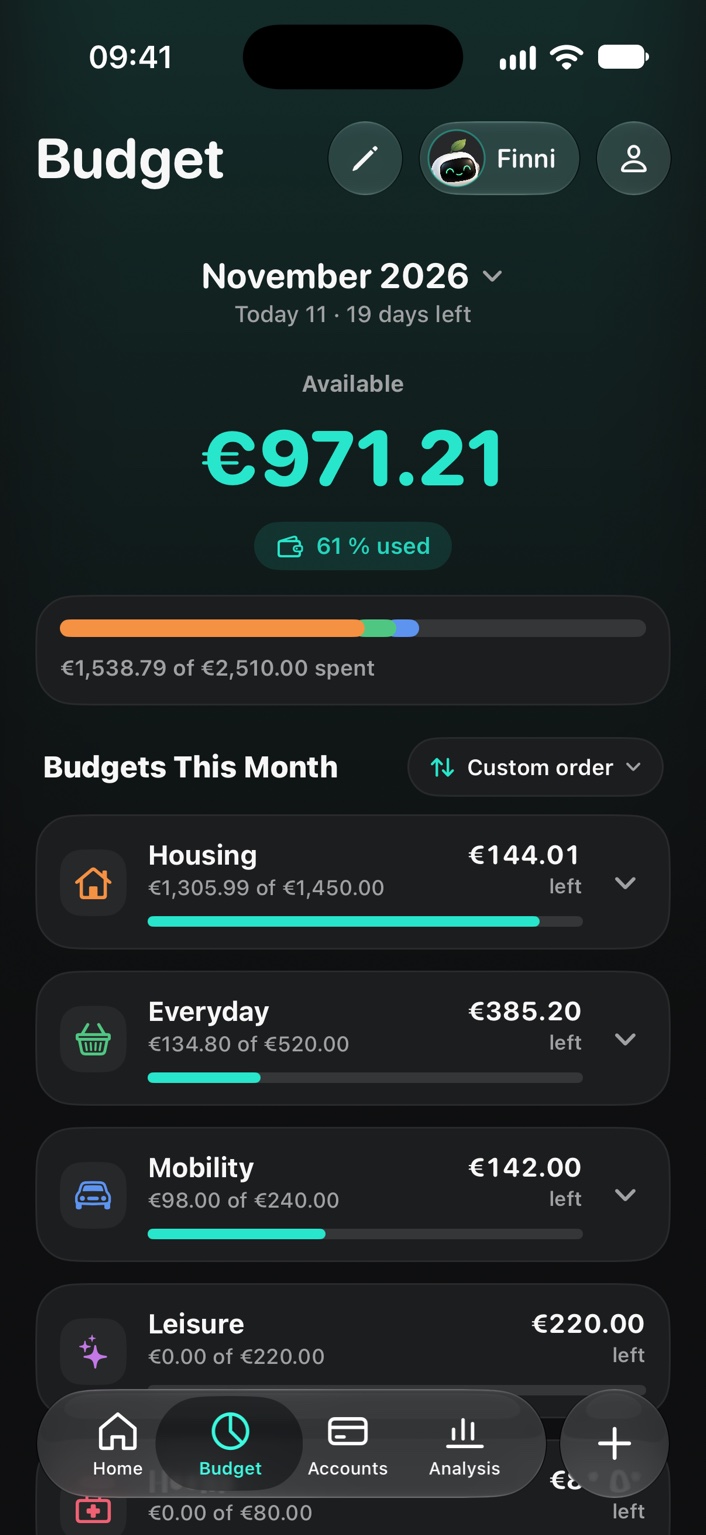
One limit per category and month. Fynrize shows what is booked, what is still to come and what is left.
Budgets apply monthly to a main category, for example “Supermarket” with “Groceries” and “Household supplies”. Each subcategory can have its own limit.
Fynrize distinguishes booked from planned expenses and shows you the expected remainder at the end of the month instead of just today's figure.
Each category shows its progress against the planned pace, a forecast for the end of the month and the amount you can still spend per day to stay on track.
A bar chart and a monthly list show how a category develops. With Plus also in detail by week and month.
A finer breakdown of every category.
You create categories and subcategories with a live preview. Categories you no longer need are archived instead of deleted.
Transactions are entered in three steps. Everything else is there when you need it.
The entry flow guides you through category, account and amount. A swipe from the edge takes you one step back.
Transfers move money between your accounts without touching budgets. Transfers with a category, for a savings plan or a loan for example, show its symbol.
A receipt with groceries and household supplies becomes one payment with several parts. Receipt and place apply to all parts.
Receipt recognition reads the total, merchant and purchase date and suggests a matching category. The receipt stays attached to the transaction.
Series book themselves on the due date. You skip single dates without changing the series.
Under “Actions” you add a note, place, goal or receipt. Empty fields stay hidden.
Search shows the total of all hits with count and period, groups the hits by month and highlights the search term.
Payments from your bank and from Apple Pay arrive by themselves. Nothing is booked until you agree.
A shortcut passes payments from your bank's notifications to Fynrize. They wait in the bank import until you book, edit or ignore them.
After an Apple Pay payment, the shortcut creates the payment with amount and merchant.
Rules assign recurring merchants to a category and an account, so all you do when booking is confirm.
If an import matches an existing transaction, Fynrize hides it. You can still see which imports were hidden.
You bring existing data from a spreadsheet into the app via CSV, and you can export everything again at any time.
All accounts with their balance, plus loans, net worth and open instalments.
The account overview shows each account with its balance and the total of all accounts. An opened account lists its transactions month by month.
Loan accounts carry the interest rate and monthly instalment, so debts do not slip out of sight.
The report subtracts debts from assets and shows the development over time.
Open instalments and due dates in view.
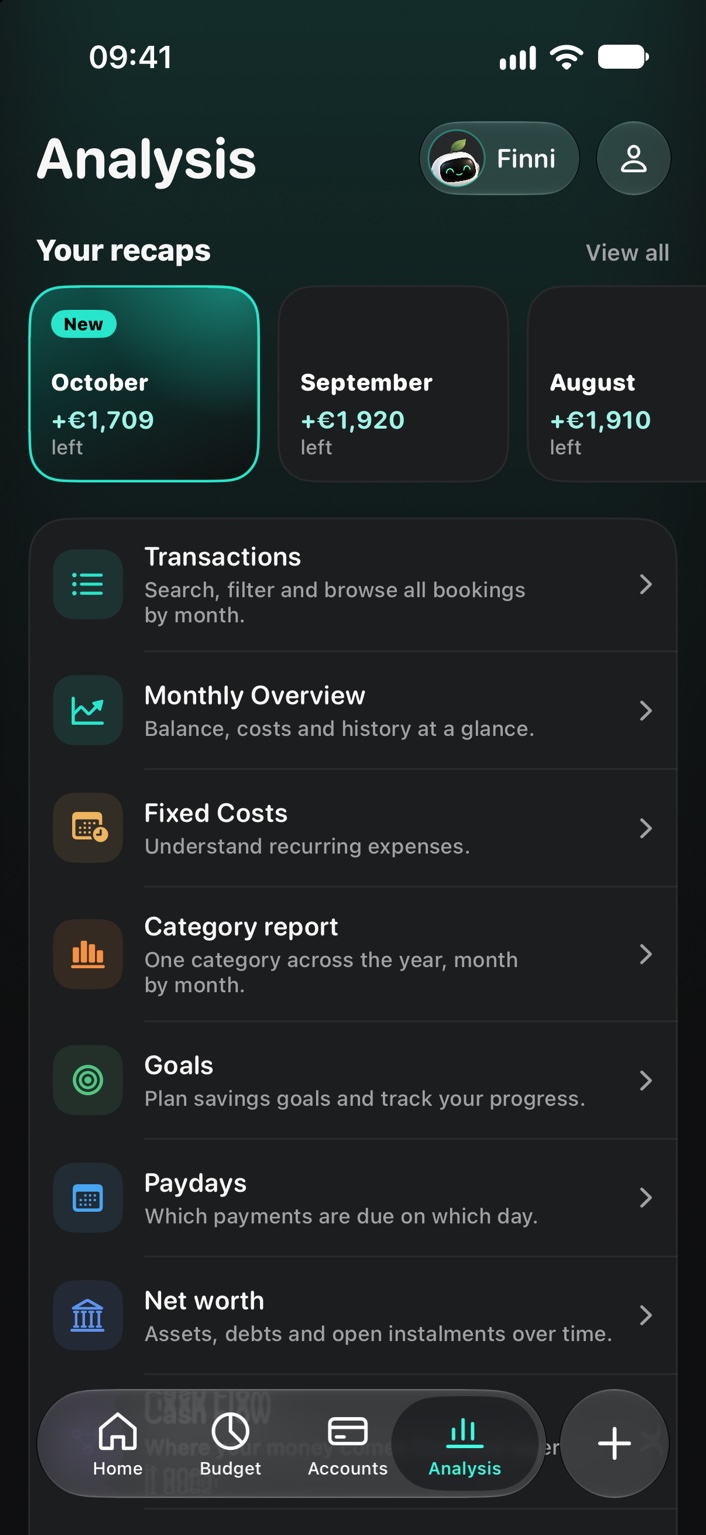
Review, history and outlook. Every report is one tap away.
At the start of the month Fynrize sums up the past month as a story: what was left, where most of the money went and how the month compared.
“Left until today” with forecast, income and expenses, account balance as a line with a dashed forecast, fixed and variable as a ring and “Left per month” in comparison.
All regular payments with their share of income, booked and open, the next debit, a payment schedule as a timeline and the development over six months.
Fynrize detects payments that come regularly but are not yet a fixed-cost entry, and tells you when a subscription has become more expensive.
How much you spend in a category per month, across the whole year.
A calendar of a month's payments, so that account balance and debits fit together.
Where your money comes from and where it goes.
Where you spent money and how often.
Savings goals with a plan, milestones and money reserved for them on accounts.
The most important goal sits at the top as a picture card, further goals with a ring, reached goals in their own section.
If you set a monthly amount, Fynrize works out in which month you are likely to reach the goal.
Intermediate steps on the way to the goal.
Reservations link a goal to money on specific accounts without you having to transfer it.
Your finance companion answers questions about your own numbers.
Ask in your own words or tap a suggested question. Finni answers briefly and with the matching numbers.
For example when an open instalment is due within the next seven days.
Below the answer you see where the numbers come from, for example “From your planned transactions, as of today”.
On iPhones with Apple Intelligence, Apple's language model words the answer on the device. The numbers always come from Fynrize. Without Apple Intelligence, Finni answers with the Fynrize analysis.
Personal analyses with proactive hints.
Shared finances for two, without making the app more complicated.
You both see the same accounts, budgets and transactions, plus a shared inbox for bank import and Apple Pay that can be switched off per source. Sharing runs via iCloud, without a Fynrize server of its own.
By invitation, right from the app.
No account, no cloud of our own. Your finances stay on your iPhone.
Fynrize needs no sign-up of its own. You open the app and get started.
Fynrize stores your data on the iPhone. With iCloud sync switched on, Fynrize keeps it in step with your other devices through your iCloud.
If you like, Fynrize asks for Face ID when the app is opened or brought back to the front.
The privacy screen covers the app in the app switcher, and notifications can leave out amounts if you prefer.
Create backups of your data and restore them.
Small things that make Fynrize easier.
Reminders for transactions, subscriptions and the monthly review.
Short articles on budget models, fixed-cost ratio, subscription check and saving explain the basics.
German, English, French, Italian, Dutch, Polish, Spanish.
Name, first account, categories, a first goal, automatic payments, notifications and protection. After that a tour shows the most important places.
Fynrize works without a subscription. Plus removes the limits and unlocks a few features.
Everything for your month, with a few limits.
Everything else, including transactions, month overview, fixed costs, net worth and Finni, is included without a subscription.
No limits, plus deeper reports and the shared household.
As of Fynrize 1.0. You will see prices in the App Store at launch.
On the home page you swipe through a whole month once, with previews you can tap.